

Upload receivables data
Import AR data via CSV file upload. For dealerships on file-based integration.
Import AR data into Drypowder via CSV file upload. This is for dealerships using file-based integration rather than direct Spruce connectivity.
When to use file upload
If your dealership is connected to Spruce with direct integration, your AR data syncs automatically and you do not need to upload files. This guide is for dealerships that use file-based integration, where AR data is exported from the ERP and uploaded to Drypowder manually.
Upload files
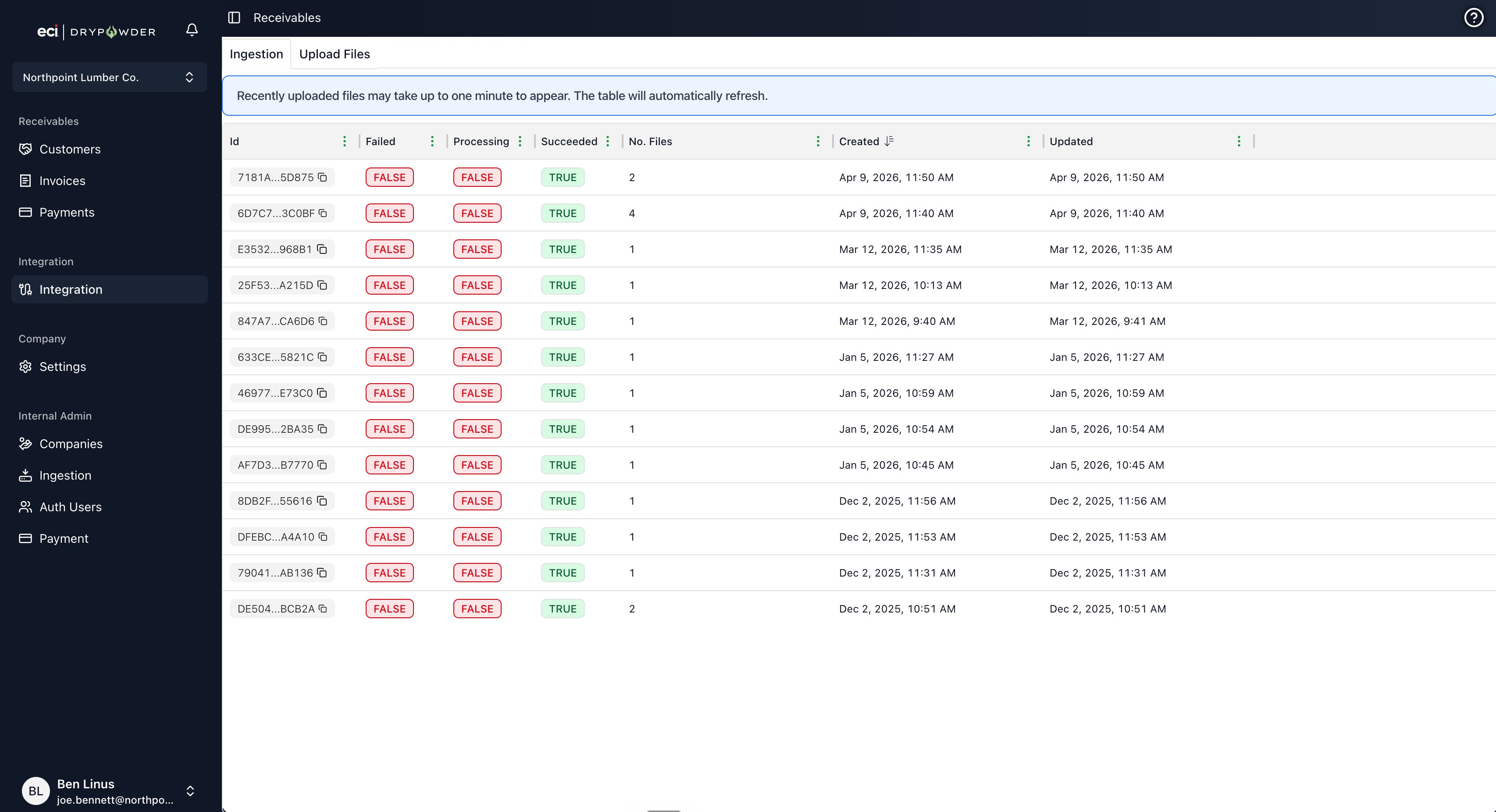
The Integration page has two tabs: Ingestion and Upload Files.
- Navigate to the Integration page from the left sidebar.
- Open the Upload Files tab.
 3. Add up to five separate typed files: Accounts, Contacts, Invoices, Credit Adjustments, and Debit Adjustments. You can upload whichever subset you need.
4. Click Upload Files.
5. Drypowder validates the data and shows a review step that flags any invalid rows before processing.
6. After you confirm, the system processes the files and updates your customer accounts, invoices, and balances.
Check ingestion history
After uploading, the Integration page shows an ingestion event history log. Each entry shows:
- The file that was processed.
- When it was uploaded.
- Whether processing succeeded or encountered errors.
If a file fails to process, check the error details in the log. Common issues include formatting mismatches or unexpected column names.
How often to upload
Upload frequency depends on how current you need your data to be:
- Daily is recommended if you want the Customers Dashboard to reflect yesterday's AR. Upload first thing in the morning before your team starts working.
- Weekly works if you are early in your Drypowder rollout and checking in periodically rather than using the platform daily.
The more current your data, the more useful the Collection Priority scores and aging numbers will be.
Related
- Your first day in the AR operator portal — Overview of the platform.
- How Spruce integration keeps data in sync — How data flows for Spruce-integrated dealers.